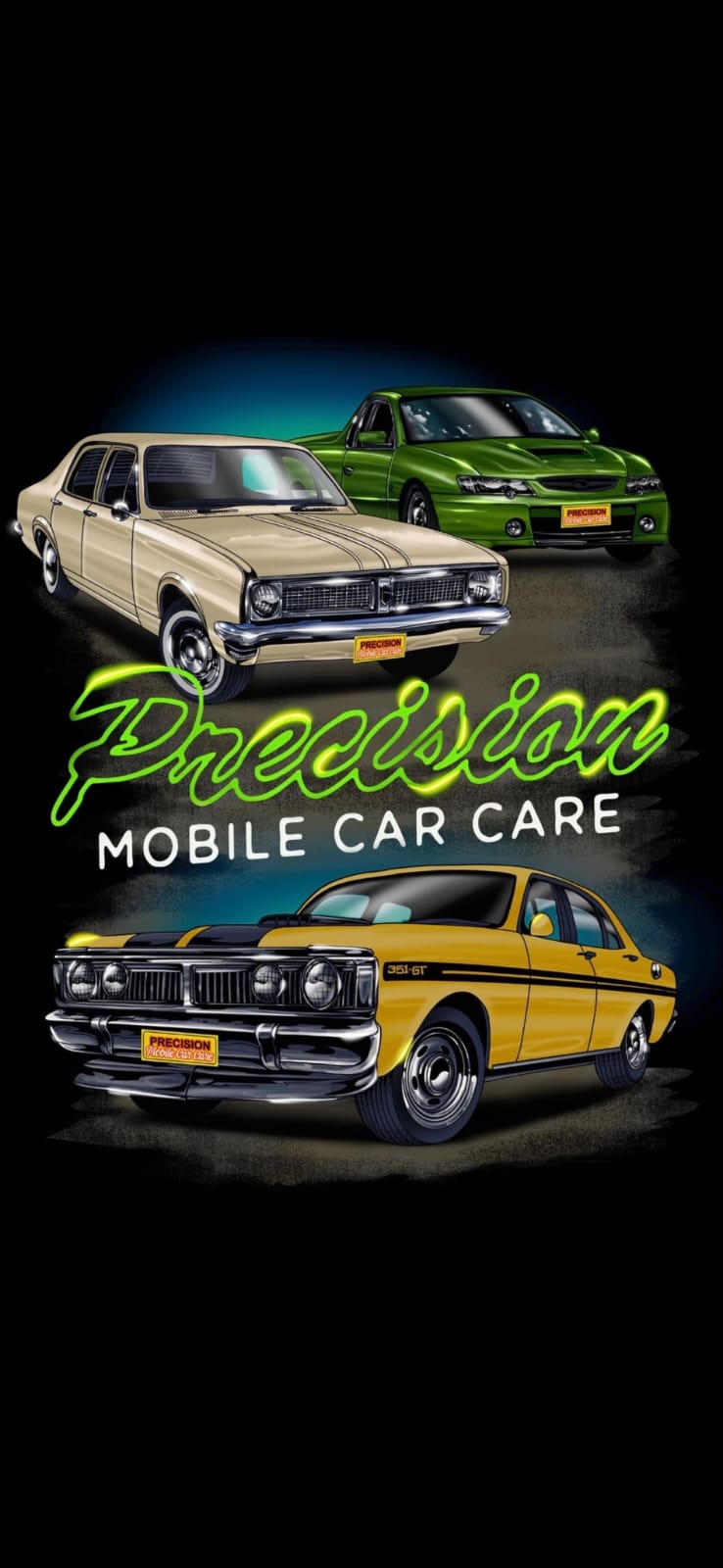
// Precision Mobile Car Care — main sections

const { useState, useEffect, useRef, useCallback } = React;

/* ===== Plate Badge ===== */
function PlateBadge({ size = "sm" }) {
  return (
    <div className={`plate-badge ${size === "lg" ? "lg" : ""}`}>
      <span className="plate-screw plate-screw--tl"></span>
      <span className="plate-screw plate-screw--tr"></span>
      <span className="plate-screw plate-screw--bl"></span>
      <span className="plate-screw plate-screw--br"></span>
      <div className="plate-1"><span>PRECISION</span></div>
      <div className="plate-2">Mobile Car Care</div>
    </div>
  );
}

/* ===== Nav ===== */
function Nav({ onBook }) {
  const [scrolled, setScrolled] = useState(false);
  useEffect(() => {
    const fn = () => setScrolled(window.scrollY > 30);
    window.addEventListener("scroll", fn);
    return () => window.removeEventListener("scroll", fn);
  }, []);
  return (
    <div className={`nav-wrap ${scrolled ? "scrolled" : ""}`}>
      <div className="nav">
        <a href="#top" className="nav-brand">
          <div className="nav-mark">P</div>
          <div className="nav-brand-text">
            <div className="a">PRECISION</div>
            <div className="b">Mobile Car Care</div>
          </div>
        </a>
        <nav className="nav-links">
          <a href="#services"><span className="num">01</span>Services</a>
          <a href="#process"><span className="num">02</span>Process</a>
          <a href="#gallery"><span className="num">03</span>Garage</a>
          <a href="#vehicles"><span className="num">04</span>Vehicles</a>
          <a href="#contact"><span className="num">05</span>Contact</a>
        </nav>
        <div className="nav-cta">
          <a href="tel:0422290568" className="btn btn-ghost phone-cta">
            <span className="ring"></span>
            <span>0422 290 568</span>
          </a>
          <button className="btn btn-primary" onClick={onBook}>Get a Quote <span className="arrow">→</span></button>
        </div>
      </div>
    </div>
  );
}

/* ===== Hero ===== */
function Hero({ onBook }) {
  return (
    <section className="hero" id="top">
      <div className="container">
        <div className="hero-grid">
          <div className="hero-headline">
            <div className="eyebrow" style={{marginBottom: 28}}><span className="dot"></span>Mobile Exterior Detailing</div>
            <h1>
              <span className="line" style={{"--i": 0, "--shift": 0}}>Precision</span>
              <span className="line" style={{"--i": 1, "--shift": 18}}><span className="accent">believes</span> every</span>
              <span className="line" style={{"--i": 2, "--shift": 36}}><span className="outline">paint job</span></span>
              <span className="line" style={{"--i": 3, "--shift": 54}}>deserves a</span>
              <span className="line" style={{"--i": 4, "--shift": 72}}>second chance.</span>
            </h1>
            <p className="sub">
              Hand-corrected paint, ceramic coatings and rotisserie buff work — for brand-new vehicles, daily drivers, work fleets and Australian muscle. We come to you.
            </p>
            <div className="actions">
              <button className="btn btn-primary" onClick={onBook}>Get a quote <span className="arrow">→</span></button>
              <a href="#gallery" className="btn btn-ghost">See the garage</a>
            </div>
            <div style={{marginTop: 48}}>
              <span className="scroll-cue"><span className="line"></span>Scroll to polish</span>
            </div>
          </div>
        </div>
      </div>

      <div className="hero-logo-stage">
        <div className="logo-card-glow"></div>
        <div className="logo-card">
          <img className="logo-card-img" src="media/brand-logo.jpeg" alt="Precision Mobile Car Care" />
          <div className="logo-card-shine"></div>
        </div>
      </div>

      <div className="marquee" style={{marginTop: 0}}>
        <div className="marquee-track">
          {Array.from({length: 2}).map((_, i) => (
            <div key={i} className="marquee-item">
              Ceramic Coating <span className="star">✦</span>
              Rotisserie Buff <span className="star">✦</span>
              Paint Correction <span className="star">✦</span>
              Headlight Restoration <span className="star">✦</span>
              Swirl Removal <span className="star">✦</span>
              Overspray Removal <span className="star">✦</span>
              Cut &amp; Polish <span className="star">✦</span>
              Paint Rejuvenation <span className="star">✦</span>
            </div>
          ))}
        </div>
      </div>
    </section>
  );
}

/* ===== Scroll-Zoom Showcase ===== */
const SHOWCASE_CARS = [
  { img: "media/img-01.jpeg", tag: "Featured", title: "Porsche 911 GT3 RS" },
  { img: "media/img-07.jpeg", tag: "Australian Muscle", title: "Ford Falcon XW GT" },
  { img: "media/img-22.jpeg", tag: "Vintage", title: "Chevrolet Bel Air" },
  { img: "media/img-13.jpeg", tag: "Australian Muscle", title: "Ford Falcon XY Ute" },
];

function ShowcaseCard({ car, index, total }) {
  return (
    <div className="showcase-card">
      <div className="showcase-card-slate">
        <span>Frame</span>
        <span className="slate-num">{String(index + 1).padStart(2, "0")}</span>
        <span>/ {String(total).padStart(2, "0")}</span>
      </div>
      <div className="showcase-card-img">
        <img src={car.img} alt={car.title} loading="lazy" />
        <div className="showcase-card-plate"><PlateBadge /></div>
      </div>
      <div className="showcase-card-caption">
        <div className="showcase-card-caption-left">
          <div className="showcase-card-tag">
            <span className="tag-num">{String(index + 1).padStart(2, "0")}</span>
            <span>—</span>
            <span>{car.tag}</span>
          </div>
          <div className="showcase-card-title">{car.title}</div>
        </div>
        <div className="showcase-card-caption-right">
          <PlateBadge size="lg" />
        </div>
      </div>
    </div>
  );
}

function ShowcaseSection() {
  return (
    <section className="showcase" id="showcase">
      <div className="container showcase-intro">
        <div className="label"><span style={{
          display: "inline-block",
          width: 6, height: 6, borderRadius: "50%",
          background: "var(--accent)", marginRight: 10, verticalAlign: 2,
        }}></span>The garage · in motion</div>
        <h2>Recent work.<br/>Up close.</h2>
      </div>
      <div className="container showcase-grid">
        {SHOWCASE_CARS.map((c, i) => (
          <ShowcaseCard key={i} car={c} index={i} total={SHOWCASE_CARS.length} />
        ))}
      </div>
    </section>
  );
}

/* ===== Services ===== */
function Services({ onBook }) {
  return (
    <section id="services">
      <div className="container">
        <div className="section-head">
          <div>
            <div className="eyebrow" style={{marginBottom: 14}}><span className="dot"></span>01 — Services</div>
            <h2>Exterior detailing.<br/>Done properly.</h2>
          </div>
          <div className="meta">
            Exterior only — paint, glass, trim, wheels. From new-car protection to full paint rejuvenation on cars that haven't been polished in decades.
          </div>
        </div>

        <div className="mobile-banner">
          <div className="mobile-banner-pulse"></div>
          <div className="mobile-banner-text">
            <div className="mobile-banner-eyebrow">100% Mobile Service</div>
            <div className="mobile-banner-title">Every service below — we come to you.</div>
          </div>
          <div className="mobile-banner-meta">
            <span>Home</span><span className="dot-sep">·</span>
            <span>Workplace</span><span className="dot-sep">·</span>
            <span>Storage</span>
          </div>
        </div>

        <div className="service-list">
          {SERVICES.map((s, i) => (
            <button
              key={s.id}
              className="service-row"
              onClick={onBook}
            >
              <div className="num">{String(i + 1).padStart(2, "0")}</div>
              <div className="name">
                <span className="name-text">{s.name}</span>
                {s.summary && <span className="summary">{s.summary}</span>}
              </div>
              <div className="tag">Mobile · We come to you</div>
              <div className="go">→</div>
            </button>
          ))}
        </div>
      </div>
    </section>
  );
}

/* ===== Process ===== */
function Process() {
  return (
    <section id="process" style={{paddingTop: 0}}>
      <div className="container">
        <div className="section-head">
          <div>
            <div className="eyebrow" style={{marginBottom: 14}}><span className="dot"></span>02 — Process</div>
            <h2>Four stages.<br/>No shortcuts.</h2>
          </div>
          <div className="meta">
            Every vehicle moves through the same four stages, whether it's a brand-new delivery or a vintage restoration.
          </div>
        </div>

        <div className="process">
          {PROCESS.map(p => (
            <div className="process-step" key={p.step}>
              <div className="step-num">{p.step}</div>
              <div className="step-title">{p.title}</div>
              <div className="step-desc">{p.desc}</div>
            </div>
          ))}
        </div>
      </div>
    </section>
  );
}

/* ===== Gallery — Photos + Videos tabs ===== */
function Gallery({ onOpen }) {
  const [tab, setTab] = useState("photos");
  return (
    <section id="gallery" style={{paddingTop: 0}}>
      <div className="container">
        <div className="section-head">
          <div>
            <div className="eyebrow" style={{marginBottom: 14}}><span className="dot"></span>03 — The Garage</div>
            <h2>Cars we've<br/>worked on.</h2>
          </div>
          <div className="meta">
            {tab === "photos"
              ? "A look at recent work across all the vehicles we detail. Tap any photo to see it full size."
              : "Walk-throughs, before-and-after reveals and process clips from the bay."}
          </div>
        </div>

        <div className="gallery-tabs">
          <button
            className={`gallery-tab ${tab === "photos" ? "active" : ""}`}
            onClick={() => setTab("photos")}
          >
            <span className="tab-icon">▣</span>
            <span>Photos</span>
            <span className="tab-count">{GALLERY.length}</span>
          </button>
          <button
            className={`gallery-tab ${tab === "videos" ? "active" : ""}`}
            onClick={() => setTab("videos")}
          >
            <span className="tab-icon">▶</span>
            <span>Videos</span>
            <span className="tab-count">{VIDEOS.length}</span>
          </button>
        </div>

        {tab === "photos" && (
          <div className="gallery">
            {GALLERY.map((g, i) => (
              <div
                key={i}
                className={`gallery-item w${g.w} ${g.h === 2 ? "h2" : ""}`}
                onClick={() => onOpen(i)}
              >
                <img src={g.img} alt={`Detailing work ${i + 1}`} loading="lazy" />
                {g.badge && <div className="badge-tl">★ {g.badge}</div>}
              </div>
            ))}
          </div>
        )}

        {tab === "videos" && <VideoGrid />}
      </div>
    </section>
  );
}

/* Lazy video card — only mounts the <video> tag once it scrolls near the viewport.
   This prevents all 23 videos from preloading at once and tanking the page. */
function LazyVideoCard({ src, poster }) {
  const ref = React.useRef(null);
  const [near, setNear] = useState(false);
  const [active, setActive] = useState(false);  // user clicked play
  useEffect(() => {
    const el = ref.current;
    if (!el) return;
    const io = new IntersectionObserver((entries) => {
      if (entries.some(e => e.isIntersecting)) {
        setNear(true);
        io.disconnect();
      }
    }, { rootMargin: "300px 0px" });
    io.observe(el);
    return () => io.disconnect();
  }, []);

  return (
    <div className="video-card" ref={ref}>
      {active ? (
        <video
          src={src}
          poster={poster}
          controls
          autoPlay
          preload="metadata"
          playsInline
          className="video-frame"
        />
      ) : near ? (
        <button
          className="video-thumb local"
          onClick={() => setActive(true)}
          aria-label="Play video"
        >
          <video
            src={src + "#t=0.5"}     /* fetch ~1 frame for a poster */
            preload="metadata"
            muted
            playsInline
            className="video-frame"
          />
          <div className="video-play"><span>▶</span></div>
        </button>
      ) : (
        <div className="video-placeholder soft">
          <div className="vp-icon">▶</div>
        </div>
      )}
    </div>
  );
}

/* ===== Video grid ===== */
function VideoGrid() {
  const [playingIdx, setPlayingIdx] = useState(null);

  return (
    <>
      <div className="video-grid">
        {VIDEOS.map((v, i) => (
          v.placeholder ? (
            <div className="video-card" key={i}>
              <div className="video-placeholder">
                <div className="vp-icon">▶</div>
                <div className="vp-label">{v.label}</div>
                <div className="vp-sub">Awaiting upload</div>
              </div>
            </div>
          ) : v.id ? (
            <div className="video-card" key={i}>
              {playingIdx === i ? (
                <iframe
                  src={`https://www.youtube.com/embed/${v.id}?autoplay=1`}
                  title={v.title}
                  allow="autoplay; encrypted-media"
                  allowFullScreen
                  className="video-frame"
                />
              ) : (
                <button className="video-thumb" onClick={() => setPlayingIdx(i)}>
                  <img src={`https://img.youtube.com/vi/${v.id}/hqdefault.jpg`} alt={v.title} loading="lazy" />
                  <div className="video-play"><span>▶</span></div>
                  <div className="video-meta">
                    <div className="vm-tag">YouTube</div>
                    <div className="vm-title">{v.title}</div>
                  </div>
                </button>
              )}
            </div>
          ) : v.src ? (
            <LazyVideoCard key={i} src={v.src} poster={v.poster} />
          ) : null
        ))}
      </div>

      <div className="video-footer-cta">
        <div>
          <div className="eyebrow"><span className="dot"></span>More on YouTube</div>
          <div style={{fontFamily: "var(--display)", fontSize: "clamp(24px, 3vw, 40px)", textTransform: "uppercase", lineHeight: 1, marginTop: 10}}>
            See every clip on the channel
          </div>
        </div>
        <a className="btn btn-primary" href="https://www.youtube.com/@precisionmobilecarcare7102" target="_blank" rel="noreferrer">
          @precisionmobilecarcare7102 <span className="arrow">→</span>
        </a>
      </div>
    </>
  );
}

/* ===== Lightbox ===== */
function Lightbox({ index, onClose, onNav }) {
  useEffect(() => {
    const fn = (e) => {
      if (e.key === "Escape") onClose();
      if (e.key === "ArrowLeft") onNav(-1);
      if (e.key === "ArrowRight") onNav(1);
    };
    window.addEventListener("keydown", fn);
    document.body.style.overflow = "hidden";
    return () => {
      window.removeEventListener("keydown", fn);
      document.body.style.overflow = "";
    };
  }, [onClose, onNav]);

  if (index === null) return null;
  const g = GALLERY[index];
  return (
    <div className="lightbox" onClick={(e) => e.target === e.currentTarget && onClose()}>
      <div className="lightbox-head">
        <div className="lb-counter">{String(index + 1).padStart(2, "0")} / {String(GALLERY.length).padStart(2, "0")}</div>
        <button className="btn btn-ghost" onClick={onClose}>Close ✕</button>
      </div>
      <div className="lightbox-stage">
        <button className="lightbox-nav prev" onClick={() => onNav(-1)} aria-label="Previous">←</button>
        <div className="lightbox-frame">
          <img src={g.img} alt={`Detailing work ${index + 1}`} />
        </div>
        <button className="lightbox-nav next" onClick={() => onNav(1)} aria-label="Next">→</button>
      </div>
      <div className="lightbox-foot">
        <div style={{display: "flex", alignItems: "center", gap: 18, fontFamily: "var(--mono)", fontSize: 11, letterSpacing: "0.18em", textTransform: "uppercase", color: "var(--muted)"}}>
          <span>Use</span>
          <span style={{padding: "4px 10px", border: "1px solid var(--line-2)", borderRadius: 4, color: "var(--fg)"}}>←</span>
          <span style={{padding: "4px 10px", border: "1px solid var(--line-2)", borderRadius: 4, color: "var(--fg)"}}>→</span>
          <span>to navigate · ESC to close</span>
        </div>
        <PlateBadge size="lg" />
      </div>
    </div>
  );
}

/* ===== Vehicles ===== */
function VehiclesSection() {
  return (
    <section id="vehicles" style={{paddingTop: 0}}>
      <div className="container">
        <div className="section-head">
          <div>
            <div className="eyebrow" style={{marginBottom: 14}}><span className="dot"></span>04 — Vehicles</div>
            <h2>We work on<br/>everything.</h2>
          </div>
          <div className="meta">
            From a brand-new delivery that needs first protection, through to vintage paint that hasn't seen a polisher in decades.
          </div>
        </div>

        <div className="vehicles">
          {VEHICLES.map(v => (
            <div className="vehicle-card" key={v.id}>
              <div>
                <div className="v-icon">{v.code}</div>
                <div className="v-title" style={{marginTop: 14}}>{v.title}</div>
              </div>
            </div>
          ))}
        </div>
      </div>
    </section>
  );
}

/* ===== Contact ===== */
function Contact({ onBook }) {
  return (
    <section id="contact" style={{paddingTop: 0}}>
      <div className="container">
        <div className="contact-hero">
          <div className="contact-hero-bg" aria-hidden="true">
            <span>QUOTE</span>
            <span>QUOTE</span>
          </div>
          <div className="contact-hero-content">
            <div className="contact-hero-eyebrow">
              <span className="contact-hero-num">05</span>
              <span className="contact-hero-rule"></span>
              <span>Get in touch</span>
            </div>
            <h2 className="contact-hero-title">
              Get a <span className="contact-hero-accent">quote.</span>
            </h2>
            <div className="contact-hero-meta">
              <span className="contact-hero-dot"></span>
              Phone is fastest. Or send a few photos and we'll come back with a quote and timing — usually within the same day.
            </div>
            <div className="contact-hero-actions">
              <a className="btn btn-primary" href="tel:0422290568">
                <span className="phone-glyph">☎</span> Call 0422 290 568
              </a>
              <button className="btn btn-ghost" onClick={onBook}>
                Request a quote <span className="arrow">→</span>
              </button>
            </div>
          </div>
        </div>

        <div className="contact">
          <div className="contact-info">
            <div className="row">
              <div className="label">Phone</div>
              <div className="v">
                <a href="tel:0422290568">0422 290 568</a>
              </div>
            </div>
            <div className="row">
              <div className="label">Email</div>
              <div className="v">
                <a href="mailto:precisionmobilecarcare@hotmail.com" style={{fontSize: "clamp(16px, 1.5vw, 22px)"}}>precisionmobilecarcare@hotmail.com</a>
              </div>
            </div>
            <div className="row">
              <div className="label">Facebook</div>
              <div className="v"><a href={SITE.social.facebook} target="_blank" rel="noreferrer">Precision Mobile Car Care</a></div>
            </div>
            <div className="row">
              <div className="label">Instagram</div>
              <div className="v"><a href={SITE.social.instagram} target="_blank" rel="noreferrer">Precision Mobile Car Care</a></div>
            </div>
            <div className="row">
              <div className="label">YouTube</div>
              <div className="v"><a href={SITE.social.youtube} target="_blank" rel="noreferrer">precisionmobilecarcare7102</a></div>
            </div>
          </div>

          <div>
            <div style={{display: "flex", flexDirection: "column", gap: 14, padding: "32px", background: "var(--bg-1)", border: "1px solid var(--line)", borderRadius: 8}}>
              <div className="eyebrow"><span className="dot"></span>Fastest way</div>
              <div style={{fontFamily: "var(--display)", fontSize: 36, textTransform: "uppercase", lineHeight: 1}}>Send a couple of photos.</div>
              <p style={{color: "var(--fg-2)", margin: 0}}>Snap your paint in direct sunlight from a few angles. We'll come back with a quote and timing.</p>
              <div style={{display: "flex", gap: 10, marginTop: 14, flexWrap: "wrap"}}>
                <button className="btn btn-primary" onClick={onBook}>Request a quote <span className="arrow">→</span></button>
                <a className="btn btn-ghost" href="tel:0422290568">Call now</a>
              </div>
            </div>
            <div style={{marginTop: 24, display: "flex", justifyContent: "center"}}>
              <PlateBadge size="lg" />
            </div>
          </div>
        </div>

        <div className="giant-mark">PRECISION</div>
      </div>
    </section>
  );
}

/* ===== Footer ===== */
function Footer() {
  return (
    <footer>
      <div className="container">
        <div className="foot">
          <div className="copy">© Precision Mobile Car Care</div>
          <div className="social">
            <a href={SITE.social.facebook} target="_blank" rel="noreferrer" aria-label="Facebook">f</a>
            <a href={SITE.social.instagram} target="_blank" rel="noreferrer" aria-label="Instagram">⊙</a>
            <a href={SITE.social.youtube} target="_blank" rel="noreferrer" aria-label="YouTube">▶</a>
          </div>
          <div className="copy">Mobile · Exterior detailing</div>
        </div>
      </div>
    </footer>
  );
}

Object.assign(window, { PlateBadge, Nav, Hero, Services, Process, Gallery, Lightbox, VehiclesSection, Contact, Footer, ShowcaseSection });